
Offline vocabulary for iPhone and Apple Watch

Learn vocabulary offline. Speak with confidence.

Fluent Memory helps you build vocabulary that comes to mind when you speak.

Create rich cards, hear pronunciation, review at the right time, and practice until words feel automatic.

Explore the practice
Current Fluent Memory home screen showing an English to Chinese learning plan and daily progress
Made for daily recallWorks without Wi-Fi

Memory needs more than a word list

Build the cues. Keep the timing. Practice the voice.

Fluent Memory brings the useful parts of vocabulary practice into one quiet, offline loop.

Build around a memory

A card can hold more than a translation.

Add text, images, drawings, and your own voice so each word has a way back into memory.

Current Fluent Memory rich-card builder with image, drawing, text, and voice cues

Hear it. Say it.

Practice the part that reading leaves out.

Listen with text-to-speech, record your pronunciation, and build confidence out loud.

Current Fluent Memory speaking-practice screen with listening and recording controls

Return at the right time

Fewer piles. Better timing.

Spaced repetition schedules the next review so the words that need attention come back first.

Included with the iPhone app

Your review queue, now on your wrist.

Move selected cards and review results between iPhone and Apple Watch without an internet connection.

Paired iPhone. Device-to-device transfer.

Fluent MemoryDue 4

你好

nǐ hǎo

Different cues for different words

Open the part of practice you need.

Fluent Memory learning screen with vocabulary deck options

Personal cues

Use the details that make a word memorable to you, from a quick drawing to your own recording.

Current Fluent Memory speaking-practice screen

Speaking practice

Hear a word, repeat it, and compare your attempt while the context is still fresh.

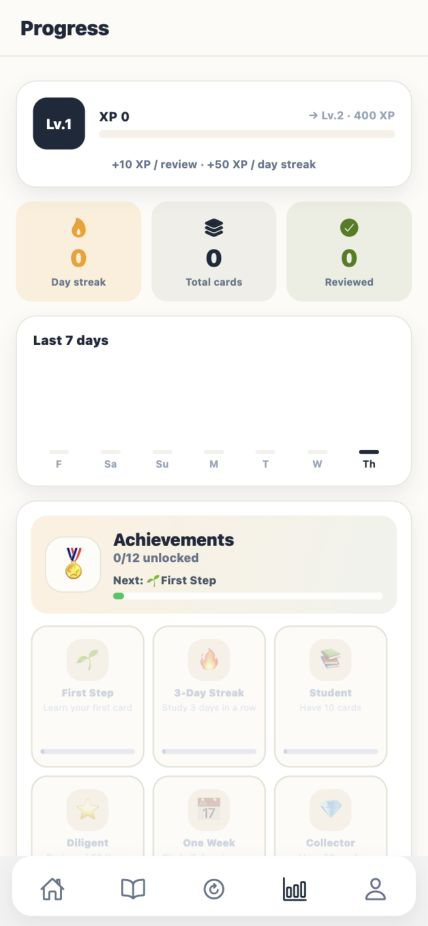
Fluent Memory local progress screen

Offline rhythm

Create cards, review vocabulary, and keep your local study history without Wi-Fi.

A word becomes useful when it leaves the card, reaches your voice, and returns exactly when your memory needs it.

The speaking-first loop

A small practice, repeated well.

Each pass gives the word another route back into memory, from recognition to spoken recall.

  1. Language selection and study overview in Fluent Memory
    01

    Choose your languages

    Set your native language and the language you want to learn.

  2. Rich-card creation in Fluent Memory
    02

    Create a card

    Add the details that help you remember: text, images, drawings, and your own voice.

  3. The current Fluent Memory review screen
    03

    Review at the right time

    Review due cards every day while spaced repetition schedules what comes next.

  4. Current pronunciation recording flow in Fluent Memory
    04

    Practice speaking

    Listen, record yourself, and build the confidence to recall words out loud.

Privacy is part of the product

Your learning stays with you.

Version 1.0.0 works without an account. Your cards, review history, recordings, drawings, and selected photos remain on your devices.

  • No account required
  • No cloud backup or cloud synchronization
  • No billing or subscription in this release
Read the full Privacy Policy

Useful details before you begin

Simple by design.

Does the app require an account?

No. App Store version 1.0.0 works without sign-in, subscriptions, billing, or cloud backup.

Can I use it without internet?

Yes. Creating cards, reviewing vocabulary, text-to-speech, and local study data are designed to work offline. Some Apple system features may depend on the capabilities of your device.

Why did a permission prompt appear?

Camera and Photos are used only when you attach an image. Microphone is used only when you record pronunciation. Notifications are optional local reminders. You can deny any permission and continue using the core card and review features.

How does Apple Watch sync work?

Install the Watch app from the same App Store build, keep the iPhone and Watch nearby, and open Fluent Memory on both devices. If the Watch is not reachable, continue reviewing on iPhone and try again later. The app does not require an internet connection for device-to-device transfer.

Start with one useful word

Build vocabulary that is ready when you speak.

Offline on iPhone. Apple Watch support is included.